
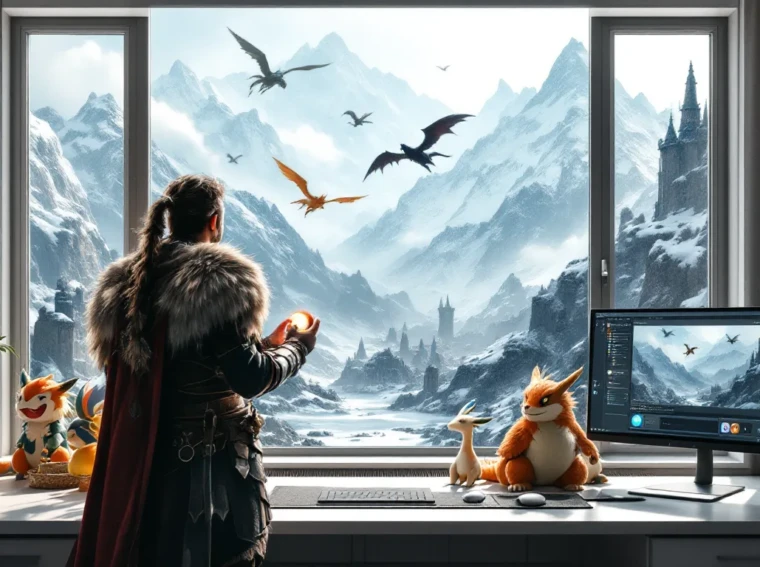
Skyrim’s been modded into just about everything under the sun, dragons with Thomas the Tank Engine faces, pizza-throwing dragons, you name it. But one of the most creative mod categories that’s been gaining serious traction is turning the province of Skyrim into a Pokémon adventure. Imagine catching Pokémon instead of absorbing dragon souls, building a team of legendary creatures, and battling fellow trainers in a medieval fantasy setting. That’s exactly what Skyrim Pokémon mods deliver. Whether you’re a longtime Elder Scrolls fan looking for fresh gameplay or a Pokémon enthusiast wanting to experience the series in a completely different way, these mods transform Skyrim into an entirely new experience. This guide covers everything you need to know about getting Skyrim Pokémon mods running smoothly in 2026, from the best available mods to installation tips and troubleshooting.
Key Takeaways
- Skyrim Pokémon mods blend Pokémon mechanics and creatures into Skyrim’s gameplay, offering complete Pokédex overhauls, battle system enhancements, or targeted creature replacers depending on your playstyle and hardware.
- Installation requires Skyrim Special Edition, SKSE, a mod manager (Mod Organizer 2 recommended), and careful load order management to avoid crashes and performance issues.
- Strategic team-building with type coverage and weakness exploitation transforms Skyrim’s combat into a tactical puzzle-like experience that mirrors competitive Pokémon gameplay.
- Lightweight creature replacers and battle system mods provide Pokémon gameplay with minimal performance impact, while full Pokédex conversions demand 50-100+ mod entries and significant hardware resources.
- Always create a new save file when testing Skyrim Pokémon mods, verify SKSE version compatibility, and consult mod pages for known conflicts before installation to prevent corrupted saves and instability.
- Visual and audio enhancements like 4K retextures, animation overhauls, and integrated Pokémon sound effects create immersion that makes the modded experience feel like a complete, polished conversion rather than just texture replacements.
What Are Skyrim Pokémon Mods?
Skyrim Pokémon mods are community-created modifications that blend Pokémon mechanics and creatures into The Elder Scrolls V: Skyrim’s gameplay loop. These aren’t simple texture replacements, they’re comprehensive overhauls that redesign core systems like creature encounters, battle mechanics, and progression structures to match the Pokémon formula.
Instead of fighting bandits and dragons, players catch wild Pokémon, train teams, and battle NPCs functioning as trainers. Some mods keep Skyrim’s melee and magic combat intact while overlaying Pokémon mechanics on top, creating a hybrid experience. Others go full conversion, replacing Skyrim’s entire creature system with Gen 1 through Gen 9 Pokémon.
The appeal is straightforward: you get Skyrim’s massive world, intricate quests, and role-playing depth combined with the strategic team-building and catching loop that makes Pokémon addictive. It’s not an official product, Bethesda and Game Freak don’t collaborate on these, but modders have built incredibly polished experiences even though the complexity involved.
Most Skyrim Pokémon mods work on PC only, though some community members have experimented with porting them to Special Edition (which supports mods on PlayStation and limited Xbox modding). Performance hits are real depending on which mods you install, so understanding what each mod does is critical before loading your first Pokéball.
Top Pokémon Mods for Skyrim
The Skyrim modding community has produced several standout Pokémon projects. Each takes a different approach, so understanding the differences helps you pick the right fit for your playstyle.
Complete Pokédex Overhauls
Complete Pokédex overhauls replace Skyrim’s creatures with actual Pokémon models and mechanics. The most recognized option is Pokémon Skyrim, which swaps in Generation 1 and Generation 2 creatures throughout the world. Wild Pokémon spawn in thematically appropriate locations, water types near rivers, grass types in forests, fire types near lava.
Pokémon Essentials for Skyrim goes further, incorporating Generations 1-5 and adding trainer mechanics so NPCs function as actual Pokémon trainers with teams, strategies, and progression. Battles run on Pokémon turn-based mechanics instead of Skyrim’s action combat, fundamentally changing how you interact with enemies.
Another solid option is Modern Pokédex Redux, which includes up to Generation 8 Pokémon and maintains Skyrim’s real-time combat while Pokémon handle damage calculation and move sets. This hybrid approach keeps Skyrim’s action feel while respecting Pokémon balance and typing.
Setup complexity: Medium to high. Full Pokédex overhauls require significant load orders and conflict management. Expect 50-100+ mod entries just for creature replacement, models, textures, and mechanics.
Pokémon Battle System Mods
Some modders focus specifically on Pokémon battle mechanics without necessarily replacing every creature. Battle System Overhaul – Pokémon Edition retains Skyrim’s creatures but implements legitimate Pokémon battle rules, turn order based on speed stats, move accuracy, status conditions, type effectiveness, and stat multipliers.
Pokémon Type Matchup Framework adds type-checking to Skyrim’s damage calculation, so your fire spells deal double damage to grass enemies but half damage to water types. It’s a lighter mod that doesn’t replace creatures, just enhances tactical depth.
These battle-focused mods are ideal if you want Skyrim’s familiar enemy variety but with Pokémon strategic layers. The combat feels more puzzle-like, you’re countering weaknesses rather than spamming the same attack.
Setup complexity: Low to medium. Battle system mods integrate cleanly with most Skyrim setups and rarely conflict with creature or visual mods. You can stack them easily.
Creature Replacer Mods
Creature replacer mods swap out specific Skyrim enemies with Pokémon equivalents. Instead of replacing everything, they target certain categories. Dragon Pokémon Replacer replaces Skyrim’s dragons with Legendary Pokémon like Alduin-equivalent Dialga, wyverns with Salamence and Dragonite variants, and ancient dragons with Rayquaza or Giratina.
Humanoid Replacer – Pokémon Edition replaces bandits, soldiers, and mages with appropriate Pokémon trainers and their teams. Skyrim’s bandits become real adversaries with type-balanced rosters instead of just dudes with swords.
Beast Creature Replacer swaps wolves with Arcanine, bears with Ursaring, spiders with Ariados, and so on. This creates an immersive world where Skyrim’s ecosystem is populated by Pokémon while keeping the core game intact.
Setup complexity: Low. Creature replacers are modular, install only what you want. They’re perfect starter mods for Pokémon enthusiasts who aren’t ready to completely overhaul Skyrim.
The modding community on Nexus Mods maintains extensive compatibility databases for all these options, letting you quickly identify conflicts before loading.
How to Install Pokémon Mods in Skyrim
Installing Skyrim Pokémon mods requires patience, attention to load order, and the right tools. Careless installation leads to crashes, physics bugs, and wasted hours troubleshooting.
Prerequisites and Mod Managers
Before touching any Pokémon mods, you need the right foundation:
- Base game: Skyrim Special Edition or Anniversary Edition (2021+). Older Legendary Edition mods are harder to find and less maintained. Special Edition is the gold standard for modding stability in 2026.
- SKSE (Skyrim Script Extender): Download the version matching your Skyrim build. SKSE adds scripting capabilities that many Pokémon mods depend on.
- A mod manager: Either Mod Organizer 2 (recommended for complex load orders) or Vortex (simpler but less flexible).
- Visual C++ redistributables: Several mods and tools require these. Grab them from Microsoft to avoid missing DLL errors.
- A text editor: For editing plugin configurations. Notepad++ is standard in the community.
Mod Organizer 2 is the preferred choice for large Pokémon projects because it handles load orders visually and sandboxes mods in virtual folders, preventing accidental overwrites. If you’re new to modding, Vortex is more forgiving but offers less granular control.
Step-By-Step Installation Guide
-
Install your base mods first. Load SKSE, your mod manager, and the Skyrim Community Uncapper (adjusts level caps for Pokémon grinding). These don’t conflict with Pokémon mods and are framework essentials.
-
Download your chosen Pokémon mod. Decide whether you want a complete Pokédex overhaul or targeted replacers. Complete overhauls go into your mod manager’s “priority install” folder first, before any conflicting creature mods.
-
Extract and organize. Your mod manager will ask where to install files. Accept the default location, the tool handles folder structure automatically. If installing manually (not recommended), extract to
Data/Meshes,Data/Textures, andData/Scriptsas appropriate. -
Add dependent mods. Most Pokémon overhauls require companion mods, animation fixes, mesh fixes, texture resolution packs. Read the mod description and install all “required” and “recommended” dependencies before the main mod.
-
Generate a new load order. In Mod Organizer 2, hit “Sort” and let LOOT (Load Order Optimization Tool) arrange plugins. LOOT understands mod dependencies and ordering rules. If using Vortex, it handles this semi-automatically, but double-check the load order list.
-
Review and optimize. Open your load order text file (usually
Skyrim/Data/Plugins.txt). Pokémon creature mods should load after SKSE plugins but before gameplay overhauls. Create a backup of this file before launching the game. -
Launch Skyrim through SKSE. Don’t launch through Steam directly. Use SKSE’s launcher to ensure extensions load properly.
-
Create a new save file. Never test new mods on existing saves. Skyrim tracks which mods were loaded when you save, and adding mods mid-playthrough causes corruption. Start fresh.
Avoiding Conflicts and Crashes
Conflicts happen when two mods try to edit the same game data. Pokémon mods, especially creature replacers, frequently conflict with other creature mods, weather overhauls, and physics mods.
Prevention strategy:
- Check compatibility before installing. The mod description lists known conflicts. If you want both conflicting mods, research community patches or load order tweaks.
- Avoid overlapping creature mods. If you’ve installed a dragon replacer, don’t install another dragon replacer. Pick one per creature category.
- Separate texture and mesh mods. Install mesh mods before texture replacers. Your load order manager should handle this, but manually verify.
- Use conflict resolution tools. xEdit (an advanced tool) lets you visually compare conflicting plugins and merge edits, but it requires learning a steep interface. Beginners should avoid this until mastering basic load orders.
- Keep mod count reasonable. Hundreds of mods in a single load order compound conflicts exponentially. Pokémon enthusiasts often run 50-80 mods total (including creature replacers, textures, and gameplay fixes). Beyond 100-120, stability drops noticeably unless carefully tuned.
If the game crashes on launch, your load order is corrupt. Disable half your mods, test, re-enable them in chunks, and identify the culprit. It’s tedious but faster than trial-and-error with everything enabled.
Recent guides from PC Gamer’s modding resources provide updated troubleshooting steps for 2026’s mod ecosystem, which continues evolving.
Best Mod Combinations and Load Orders
Not all Pokémon mods work well together. Pairing the right combinations creates cohesive, stable experiences. Here are proven setups for different playstyles.
Immersive Pokémon Experiences
Priority: Deep storytelling and world-building over raw performance.
Core mods:
- Pokémon Essentials for Skyrim (complete Pokédex with trainer mechanics)
- Trainer Battle Overhaul (gives NPCs Pokémon teams, stat distributions, strategy)
- Pokéball Crafting Framework (craft and upgrade Pokéballs using alchemy)
- Poké-Center Locations (adds healing stations themed as Poké Centers throughout Skyrim)
- Gym Leader Questline (mod-added quest chain to battle Skyrim’s “gym leaders”)
- Typography and Immersion – Pokédex UI (redesigns UI to match Pokémon games)
Companion mods:
- Enhanced Companion Follow (fixes follower AI so they work better as Pokémon trainers)
- Quest Markers Enhanced (Pokémon-themed quest markers instead of vanilla markers)
- Immersive Sounds (integrates Pokémon sound effects, cries, move sounds, Pokédex sounds, into Skyrim’s audio)
Load order (simplified):
- SKSE and script extenders
- Pokémon Essentials, dependencies
- Pokéball Crafting, Poké-Center Locations
- Trainer Battle Overhaul, Gym Leader Questline
- UI replacers (Pokédex, menus)
- Audio and immersion mods
- Gameplay overhauls (combat, difficulty scaling)
This setup prioritizes narrative immersion. You’re getting a complete Pokémon story in Skyrim’s world. Expect 15-25 FPS hit on mid-range rigs and 30-60 second load times. Absolutely worth it for story-focused players.
Performance-Optimized Setups
Priority: Pokémon gameplay with minimal performance impact.
Core mods:
- Lightweight Creature Replacer – Pokémon (low-poly Pokémon models optimized for performance)
- Battle System Overhaul – Pokémon Edition (Pokémon mechanics without full Pokédex replacement)
- Type Matchup Framework (adds type effectiveness calculation)
- Essential Pokédex UI Lite (minimal UI changes, less resource-intensive)
Companion mods:
- Graphics Optimization – Skyrim (universal performance tweaks)
- Shadow Disable ENB (disables expensive shadow rendering)
- Flora Respawn Fix (reduces grass and plant render distance slightly)
Load order:
- SKSE and lightweight extenders
- Creature replacers (lightweight versions)
- Battle system and type framework
- Graphics optimizations (load early)
- UI mods
- Remaining gameplay mods
This approach keeps Skyrim under 60 FPS even on laptops. Load times stay under 45 seconds. You lose the complete Pokédex overhaul, but the Pokémon battle mechanics remain intact. Ideal for players on budget hardware or those who want Pokémon elements without abandoning Skyrim’s original variety.
Hybrid approach: Install a creature replacer for dragons only (Legendary Pokémon), pair it with the battle system mod, and leave Skyrim’s other creatures intact. This gives you Pokémon flavor at minimal cost, about 3-5 FPS impact, no crashes.
Tips for Enhancing Your Pokémon Skyrim Experience
Once your Pokémon Skyrim setup is stable, small tweaks and playstyle choices amplify the experience significantly.
Gameplay Mechanics and Strategy
Catching strategy. Unlike main Pokémon games where catching is just grinding, Skyrim’s combat makes catching risky. Weaker Pokémon have lower catch rates, so focus-firing with status effects (paralysis, sleep) before throwing Pokéballs mirrors actual Pokémon games. This encourages non-lethal combat instead of one-shotting everything.
Team composition matters. Build a balanced six-Pokémon team using type coverage. If your team has three fire types, you’re vulnerable to water and rock opponents. Trainers in high-level areas often counter mono-type teams, so diversify. This tactical layer transforms Skyrim’s combat from “spam your strongest attack” to “select the right Pokémon for each fight.”
Grinding locations. Certain Skyrim dungeons are perfect for grinding levels. Bleak Falls Barrow respawns low-level creatures, ideal for leveling new catches. Dwemer ruins spawn higher-level mechanical creatures, good for mid-game training. Plan your level-up route just like in Pokémon games.
Economy management. Capture Pokémon with valuable move sets, not just high stats. A Pokémon with utility moves (stun, heal, buff) is worth more than a raw-damage dealer. This encourages thinking beyond DPS, you’re building teams with defined roles.
Exploit weaknesses ruthlessly. Type matchups are brutal. Water type trainers crumble to electric Pokémon. Grass trainers hate fire. Scout enemy teams through dialogue or observation, then swap to advantageous matchups. This mirrors high-level Pokémon strategy.
Visual Enhancements and Immersion
Texture resolution matters. Default Pokémon textures sometimes look dated in Skyrim’s detailed world. Download 4K retextures for your team’s species, Pokémon models will pop visually and feel less out-of-place against photorealistic Skyrim environments.
Animation overhauls. Pokémon imported from other games have stiff animations. Mods like Pokémon Animation Framework add dynamic idle animations, attack sequences, and idle states that blend Pokémon behavior into Skyrim. A Charizard that actually breathes fire instead of just swinging a sword feels infinitely better.
Companion cosmetics. If you’re using companion mods to give NPCs Pokémon teams, cosmetically match them, make guards use Growlithe or Lapras, mages use Alakazam or Espeon, rangers use Pidgeot. Visual thematic matching deepens immersion.
Audio immersion. Pokémon cries and move sounds can feel jarring without context. Mods that integrate Pokémon audio, footstep sounds, move impact sounds, Pokédex beeps, create cohesion. Hearing a realistic Charizard roar instead of a generic dragon roar is the difference between “mods” and “a complete experience.”
Lighting and weather. Skyrim’s harsh lighting sometimes clashes with Pokémon designs optimized for softer anime-style rendering. Subtle lighting mods that add bloom or soften shadows can make Pokémon feel less alien in Skyrim’s grimdark aesthetic.
Your setup from our Pokemon Dark Rising guide offers similar strategic depth if you want practice before jumping into a full Skyrim Pokémon conversion.
Troubleshooting Common Issues
Even with careful installation, Skyrim Pokémon mods occasionally break. Here’s how to diagnose and fix the most common issues.
Crashing and Performance Problems
Crashes on startup: The game loads, then immediately exits to desktop.
Diagnosis: Load order corruption or missing dependencies. Check your mod manager’s load order list. Disable half your mods, test launch. If it works, incrementally re-enable in chunks to isolate the problem.
Solution: Pokémon mods depend heavily on SKSE and script extenders. Verify you have the correct SKSE build matching your Skyrim version. Anniversary Edition (2021) uses SKSE 2.1.5+. Special Edition uses SKSE 2.0.20+. A single version mismatch causes total failure.
Crashes mid-game: The game runs but crashes when you encounter Pokémon or trainers.
Diagnosis: Creature model or mesh corruption. Pokémon models imported from other games sometimes have invalid polygons or UV mapping issues when rendered in Skyrim’s engine.
Solution: Download mesh repair patches for your specific Pokémon mod. Communities maintain these because model conflicts are common. Check the mod comments section for user-uploaded fixes.
Framerate drops: Game runs but FPS plummets in certain areas.
Diagnosis: Too many high-poly Pokémon models loading simultaneously, or texture resolution too high for your VRAM. Skyrim caches loaded textures in memory. 200+ Pokémon in nearby areas = massive memory footprint.
Solution: Reduce texture resolution from 4K to 2K. Use the lightweight creature replacer instead of full Pokédex overhauls. Disable shadow rendering with an ENB preset. Disable volumetric fog and particle effects. These aren’t ideal, but they’re the difference between 20 FPS and 60 FPS.
Physics bugs: Pokémon sink through terrain, ragdoll chaotically, or fly into the sky.
Diagnosis: Physics mod conflicts or incorrect creature scale adjustments. Pokémon models are scaled differently than Skyrim creatures, and bad scaling breaks collision detection.
Solution: Verify your physics mod (typically Havok or similar) isn’t conflicting with Pokémon creature mods. Adjust creature scale values in configuration files if your mod manager supports it. This requires XML or JSON editing, but most popular Pokémon mods include adjustment presets.
Mod Compatibility Issues
Creatures not spawning correctly: You load the game but Pokémon don’t appear in expected locations.
Diagnosis: Spawn configuration files weren’t updated or a conflicting creature mod overwrites spawn settings.
Solution: Regenerate spawn distribution. Most Pokémon mods include configuration utilities or scripts that rebuild the spawn table. Running these utilities is usually one click in your mod manager. If that fails, check whether another creature replacer mod is conflicting. Use xEdit to inspect which plugin is winning the conflict.
Trainer teams missing moves or abilities: Trainers appear but their Pokémon have broken movesets.
Diagnosis: Trainer data mod is out of sync with your Pokémon database. If your Pokédex mod is newer than your trainer mod, movesets won’t match.
Solution: Update your trainer mod. If updates aren’t available, downgrade your Pokédex mod to match. Alternatively, manually edit trainer configuration files to match available moves. This is tedious but doable if you’re comfortable editing text files.
UI elements overlapping or misaligned: Pokédex entries display incorrectly or buttons cover important information.
Diagnosis: UI mod conflict or incorrect resolution scaling. Multiple UI mods editing the same interface sometimes overlap.
Solution: Disable extraneous UI mods. If you only need the Pokédex, don’t install quest markers, compass overhauls, and HUD tweaks simultaneously. Fewer UI mods = fewer conflicts. Adjust your Skyrim resolution in settings if UI elements are misaligned, some mods hardcode coordinates for 1080p, breaking at 1440p or 4K.
Skyrim still crashes? Try verifying game files through Steam. Corrupted base game files cause weird cascade failures. Reinstalling Skyrim is tedious but sometimes necessary if all else fails.
For comprehensive troubleshooting walkthroughs beyond these common fixes, Twinfinite’s guide collection covers advanced debugging strategies for complex mod setups.
Conclusion
Skyrim Pokémon mods represent some of the most ambitious fan projects in gaming. They’re not official, they’re not simple, and they’re absolutely worth the effort if you’re willing to invest time in installation and tweaking.
The experience varies wildly depending on your approach. A full Pokédex overhaul transforms Skyrim into an entirely different game, you’re catching creatures, building teams, battling trainers, and exploring a medieval fantasy world through a Pokémon lens. Lightweight creature replacers combined with battle system mods offer Pokémon flavor without sacrificing Skyrim’s original identity. Both approaches work: pick based on your hardware, patience level, and desired playstyle.
The modding community continues evolving. New mods release regularly, existing ones receive updates, and compatibility patches emerge as tools improve. Check mod pages regularly for updates and watch community forums for emerging “must-install” mods that address gaps in existing setups.
Start with a simple creature replacer if you’re new to modding. Graduate to battle system overhauls once you’re comfortable with load orders. Jump into full conversions only after you’ve successfully modded Skyrim before, the troubleshooting experience from smaller projects transfers directly.
Eventually, Skyrim Pokémon mods succeed because they tap into nostalgia (Pokémon) and replayability (Skyrim), creating something genuinely fresh. You’ve probably played Skyrim multiple times. You’ve definitely played Pokémon games. Combining them offers a third experience that feels new even though drawing from two familiar franchises. That’s the real value, not perfect integration, but creative synthesis that respects both source materials.
Get modding. Catch ’em all. Dragonborn trainer.