
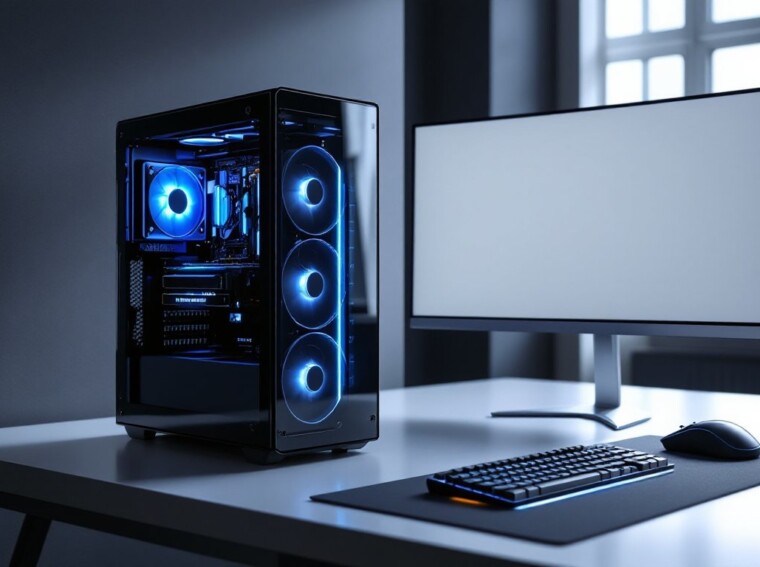
Call of Duty hits different on PC. Higher frame rates, sharper visuals, mouse-and-keyboard precision, but only if the rig underneath can actually keep up with what Activision keeps throwing at us. Between Warzone’s massive maps, the COD 2.0 engine’s lighting overhead, and the constant push toward 240Hz competitive play, picking the right COD gaming PC in 2026 isn’t a casual decision. This guide breaks down the specs, components, and budget tiers that matter right now, plus how to squeeze every frame out of the build you end up with.
Key Takeaways
- A high-performance COD gaming PC requires at least an RTX 4060 GPU and modern 8-core CPU to maintain 144+ FPS at 1080p, with competitive 1440p play demanding an RTX 4070 Super or better.
- For optimal Warzone performance, prioritize 32 GB DDR5 RAM and NVMe Gen4 storage with 1+ TB free space, as Call of Duty’s unified HQ launcher and 150-player lobbies demand significantly higher bandwidth than casual gaming.
- Budget-conscious builders should aim for a ~$900 build (1080p/120 FPS), mid-range ~$1,500 (1440p/165 FPS), or enthusiast ~$2,600 (1440p 240Hz) setup, with self-building typically saving 15–25% compared to prebuilts.
- In-game settings adjustments like disabling V-Sync, enabling NVIDIA Reflex, and keeping render resolution at 100% deliver frame rate improvements without hardware upgrades.
- A 1440p 240Hz IPS gaming monitor paired with responsive peripherals is as critical as GPU and CPU specs for achieving consistent competitive performance in Call of Duty multiplayer.
Why Call of Duty Demands a Capable Gaming PC
Modern Call of Duty isn’t the lightweight shooter it was a decade ago. The unified COD HQ launcher, Warzone’s 150-player lobbies, and the upgraded COD 2.0 engine push CPU threads, VRAM, and SSD bandwidth harder than most AAA titles on the market.
Competitive players also care about input latency and frame consistency, not just averages. Hitting a steady 240 FPS on Rebirth Island requires very different hardware than running a single-player campaign at 60 FPS.
If someone is weighing whether to invest in a rig at all, the differences between console and PC gaming usually settle the argument fast, uncapped frames and aim precision are the dealbreakers for most COD players.
Minimum and Recommended System Requirements for Modern COD Titles
Activision’s official specs for Black Ops 6 and the current Warzone integration give a reliable baseline. According to the confirmed Black Ops 6 specs, here’s what players are working with:
Minimum (1080p, Low):
- CPU: Intel Core i5-6600 / AMD Ryzen 5 1400
- GPU: GTX 960 / RX 470
- RAM: 8 GB
- Storage: 102 GB SSD
Recommended (1080p–1440p, High):
- CPU: Intel Core i7-6700K / Ryzen 5 1600X
- GPU: GTX 1080 Ti / RTX 3060 / RX 6600XT
- RAM: 12 GB
- Storage: 102 GB SSD
Competitive (1440p, 144+ FPS):
- CPU: Intel Core i7-13700K / Ryzen 7 7700X
- GPU: RTX 4070 Super or better
- RAM: 32 GB DDR5
- Storage: NVMe Gen4 SSD
These numbers shift with every season patch, so it’s worth re-checking before a major hardware purchase.
Key Components to Prioritize in a COD Gaming PC
Not every part deserves the same chunk of the budget. For COD specifically, GPU and CPU dominate the equation, with RAM and storage close behind. Anyone new to building should skim a guide on what to know before buying, it’ll save hours of refund headaches.
GPU: The Heart of High-FPS Gameplay
The GPU is where Warzone lives or dies. For 1080p high refresh play, an RTX 4060 or RX 7700 XT handles 144+ FPS comfortably. For 1440p competitive, an RTX 4070 Super is the current sweet spot. 4K Warzone at high settings really wants a 4080 Super or 7900 XTX.
VRAM matters too, COD’s high-res texture pack alone eats 10+ GB, so 8 GB cards are starting to choke at higher presets.
CPU, RAM, and Storage Considerations
Warzone is famously CPU-hungry. A modern 8-core chip like the Ryzen 7 7700X or Intel i7-14700K keeps 1% lows from tanking during chaotic fights.
For RAM, 16 GB is the bare minimum, a long-running Tom’s Hardware thread on 16GB RAM for COD shows players already bumping against that ceiling on Verdansk reloads. 32 GB DDR5 is the safer 2026 target. Storage should be NVMe Gen4 with at least 1 TB free, since the install footprint with all modes routinely exceeds 230 GB.
Recommended COD PC Builds by Budget
Three realistic tiers for 2026, based on current US pricing. Anyone curious about full pricing breakdowns can dig into a typical gaming PC setup cost before pulling the trigger.
Budget Build (~$900), 1080p / 120 FPS
- CPU: Ryzen 5 7600
- GPU: RTX 4060
- RAM: 16 GB DDR5-5600
- Storage: 1 TB NVMe Gen4
- PSU: 650W 80+ Bronze
Mid-Range Build (~$1,500), 1440p / 165 FPS
- CPU: Ryzen 7 7700X
- GPU: RTX 4070 Super
- RAM: 32 GB DDR5-6000
- Storage: 2 TB NVMe Gen4
- PSU: 750W 80+ Gold
Enthusiast Build (~$2,600), 1440p 240Hz / 4K 120 FPS
- CPU: Intel Core i7-14700K
- GPU: RTX 4080 Super
- RAM: 32 GB DDR5-6400
- Storage: 2 TB Gen4 + 2 TB Gen4 secondary
- PSU: 850W 80+ Gold
Prebuilts work, but a self-built gaming PC typically saves 15–25% and avoids the cheap PSUs and slow RAM that boutique builders quietly stuff inside.
Optimizing Your Setup for Competitive Warzone and Multiplayer
Hardware is half the story. Dialing in settings and peripherals is how players actually get better at COD without spending another dollar.
In-game settings that matter most:
- Render Resolution: 100% (never below, it kills clarity)
- Texture Resolution: High (drop to Normal on 8 GB GPUs)
- Shadows: Low
- Particle Quality: Low
- V-Sync: Off
- NVIDIA Reflex: On + Boost
A quick PC optimization walkthrough covers background services, GPU driver tuning, and Windows game mode, easy wins for 1% lows.
Monitor choice matters as much as the GPU. A 1440p 240Hz IPS panel is the current competitive standard, and a proper gaming monitor guide helps separate marketing fluff from real specs. Pair it with a low-friction mouse pad built for COD and tracking gets noticeably more consistent.
For ongoing hardware deals and patch-driven performance tests, PC Gamer’s hardware coverage is one of the more reliable spots to bookmark.