
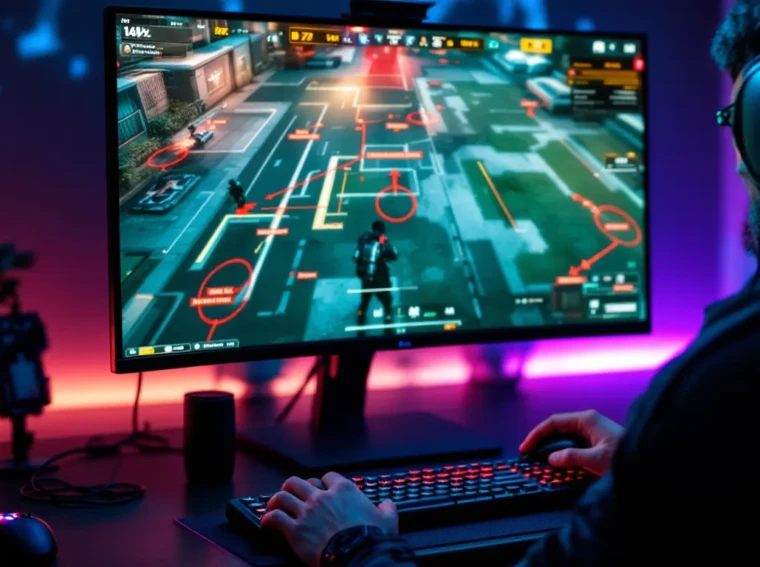
Getting better at Call of Duty isn’t about grinding 12 hours a day or buying the latest RGB headset. It’s about deliberate practice, smart positioning, and understanding the fundamentals that separate average players from those climbing the ranked ladder. Whether you’re jumping into multiplayer for the first time or grinding toward Diamond camo, the gap between struggling and dominating comes down to a few core skills: map knowledge, gunplay precision, game sense, and equipment optimization. This guide breaks down seven proven strategies that’ll help you improve your Call of Duty skills in 2026, from controller sensitivity tweaks to competitive mindset shifts. Each tip is backed by what works, with no filler or generic advice. Let’s get into it.
Key Takeaways
- Master your controller sensitivity (8-12 range) and button layout with custom controls like Bumper Jumper to maintain aim consistency during intense gunfights.
- Dominate matches by learning map callouts, power positions, spawn mechanics, and strategic rotations—map knowledge often outweighs raw aim in Call of Duty.
- Improve your aim through deliberate practice: use aim trainers for 15-20 minutes daily, master one weapon’s recoil pattern, and focus on crosshair placement at head height before engaging.
- Develop game sense by reading audio cues and killfeed patterns, playing high-pressure Search and Destroy modes, and making split-second tactical decisions under stress.
- Invest in 120Hz+ monitors, quality headsets with detailed mids for footstep clarity, and stable internet (under 60ms ping) to remove hardware barriers to improvement.
- Accelerate progress by reviewing your recorded gameplay after each match, identifying recurring mistakes, and competing in ranked play or tournaments against skilled teams.
Master Your Controller And Sensitivity Settings
Your controller setup is the foundation of everything else. You can’t improve aim if you’re fighting your own settings. Most new players run default sensitivity, which is a mistake, it’s typically too slow for flick shots and too fast for tracking. Finding your personal sweet spot takes experimentation, but once you nail it, muscle memory kicks in fast.
Finding Your Ideal Sensitivity Range
Sensitivity in Call of Duty is measured in game units, and the meta sits between 8-12 on standard controllers. Pro players often cluster around 9-11, which gives enough speed for 180-degree turns without overshooting targets. Start around 10 and test it for at least 10 matches before adjusting. If you’re constantly overshooting or undershooting, move it down by 1 increment. If you feel sluggish turning corners, bump it up.
ADS (Aim Down Sights) sensitivity deserves separate attention. Many players leave it at default, but the competitive default of 1.0-1.2 multiplier works better than 1.5+. Lower ADS sens keeps your aim tight when lining up shots, especially at range. Your overall sensitivity and ADS multiplier should let you do a full 180-degree turn in roughly 0.4-0.5 seconds, fast enough to react, controlled enough to stick targets.
Grip types matter too. Standard, tactical, and operator grips each feel different: pick whichever lets your thumb stay comfortable during long sessions. Deadzone settings should be minimal (0.05-0.08) to maximize responsiveness, but not so low that stick drift ruins your shots.
Optimizing Button Layout And Customization
Button mapping separates casual players from competitive ones. The default layout forces you to move your thumb off the right stick to reload or jump, breaking your aim. Switch to a custom layout like Bumper Jumper or Stick and Move, which puts jump on your bumpers. This keeps your aiming hand planted.
For aggressive play, consider putting melee on a bumper too, quick knife reactions win close-quarters engagements. Keep your most-used abilities on accessible buttons. If your tactical grenade is a weapon, don’t bury it on a combination press.
Tactile feedback (vibration) is worth tweaking. Some players disable it entirely for precision, while others reduce it to 50% so they feel important events (weapon switch, plate pickup) without getting distracted by ambient vibration. Test both and see what keeps you focused.
Using a controller with back buttons or paddles (like Xbox Elite or PlayStation 5’s DualSense back buttons) gives you significant edge. They eliminate thumb movement entirely for jump/slide/crouch. If you can’t access those, Bumper Jumper is your next best option.
Study Map Knowledge And Positioning
Map knowledge wins matches. Full stop. A player with average aim but excellent positioning will out-frag someone with crispy gunplay but zero map sense. You need to know where enemies spawn, where power positions exist, and how to rotate without dying.
Learning Callouts And Strategic Locations
Every Call of Duty map has named zones: A Bombsite, B Bombsite, mid, spawns, power positions. Learn the exact names your community uses. If you’re playing multiplayer, drop into private matches solo and mark where the dangerous choke points are. In Search and Destroy, A site callout consistency with your team prevents miscommunication that leads to losses.
Power positions are high-ground, multi-angle spots where one player can control multiple sightlines. These are usually on rooftops, upper windows, or central elevated terrain. Practice holding these spots for 30 seconds at a time. You don’t want to camp, rotate after kills, but knowing which positions dominate is critical.
Resource locations matter in objective modes. Where are the best places to plant the bomb in Search? Where are flag rotations safest in Capture the Flag? Call of Duty Archives has guides for specific titles. Memorize three strong positions per objective location. Predictability kills you, but having a rotation pattern beats panicking.
Understanding Spawns And Rotations
Spawn systems in recent Call of Duty titles use proximity to alive enemies. If your team controls one side of the map, enemies spawn behind you. This means holding aggressive spawns early pays off, you engage enemies while they’re disoriented. But overextending spawns them behind you, and you get flanked.
Rotations are paths between power positions that minimize exposure. Learn one aggressive rotation (fast, high-risk) and one defensive rotation (slower, safer). When you get a kill, you have 2-3 seconds to rotate before enemies can retaliate. Use that window to move to your next position rather than holding your angle expecting another push.
Understanding spawns also means reading your minimap obsessively. No red dots? Enemies are rotating to your flank. Multiple deaths on one side of the map? Spawn them on the opposite side by holding space there. Spawning is partly RNG, but controlling map pressure influences it heavily.
Improve Your Aim And Gunfight Skills
Raw aim improves through repetition, but it’s not just about clicking heads. Understanding TTK (time-to-kill), recoil patterns, and crosshair placement multiplies your gunfight effectiveness. Most players are capable of better aim than they demonstrate, they’re just fighting game mechanics or poor habits.
Training Drills And Aim Trainers
Aim trainers like Aim Lab (free on Steam) or Kovaak’s give you isolated scenarios to sharpen muscle memory without the chaos of a live match. Spend 15-20 minutes daily on aim drills: flick shots, tracking, and target switching. Focus on scenarios that match Call of Duty’s pace, medium-range targets, quick flicks, moving targets.
In-game training is more valuable though. Load a private match on your favorite multiplayer map, set up a bot or two on easy difficulty, and practice gunfights at different ranges. Start at medium range (15-25 meters) and nail 5 kills in a row before moving to close range or long range. This trains game-sense alongside aim.
Reaction drills matter too. Play a match where your only goal is “pre-aim common angles before peeking.” Don’t engage every fight, just practice placing your crosshair where enemies will be before you see them. This trains gamesense-informed aim, not blind flicking.
Weapon Recoil Control And Crosshair Placement
Every weapon has a recoil pattern. SMGs like the XM4 pull up, assault rifles like the GPMG-7 have horizontal drift. Pro player settings often include weapon-specific sensitivity adjustments. Some players use slightly lower sensitivity for LMGs to control sustained recoil better.
Practice your primary weapon’s recoil by shooting at a wall in a private match and tracing the bullet hole pattern. Then do that in-game against bots. Spend 30 minutes learning one gun’s recoil pattern deeply rather than 5 minutes on ten guns.
Crosshair placement is equally important. Your crosshair should sit where you expect an enemy’s head to be before you even see them. As you prefire corners, your crosshair should already be at head height. This sounds obvious but transforms your TTK dramatically, you’re not swinging down to chest, you’re landing immediate headshots.
Weapon choice matters for rank. Hitscan weapons (instant damage, no projectile travel) are easier to learn than burst weapons or weapons with high recoil. Master one hitscan gun first, something like the GPMG-7 or XM4, before branching into niche picks.
Develop Strong Game Sense And Decision Making
Game sense is the hardest skill to teach because it’s pattern recognition built through hundreds of hours. But you can accelerate it by training specific habits: listening to audio, reading killfeed, and making fast decisions under pressure.
Reading Enemy Patterns And Audio Cues
Audio is your second map. Footsteps, reload sounds, and ability activations tell you exactly what enemies are doing. In Search and Destroy, hearing a defuse means you push immediately, that’s a guaranteed tactical advantage. If you hear sustained gunfire on the left side, enemies are engaging there: consider rotating to flank.
Killfeed reading is critical. Watch who’s dying and where. If your teammate dies to someone named “SniperX” at A Bombsite, you know there’s a sniper watching that angle. Next round, either avoid it or prefire it. This immediate feedback loop trains decision-making fast.
Minimap glances should happen every 2-3 seconds. You’re not staring at it, just quick checks to confirm rotations. Red dots mean enemies spotted: no red dots mean you’re safe to advance. Over-relying on the minimap leads to tunnel vision, so balance it with audio and visual awareness.
Making Split-Second Tactical Decisions
Decision-making under pressure separates ranked grinders from people stuck at one rank. When you’re in a 1v2 situation, you make one choice fast: fight, plant/bomb, or retreat. Hesitation costs rounds.
Practice decision-making by playing tactical modes like Search and Destroy. Each round is high-stakes: winning or losing depends on single decisions. Play 10 ranked matches focusing only on “did I make a good decision here?” not “did I get kills?” This mindset shift accelerates improvement.
Positional trading is an underrated decision. If you’re about to lose a gunfight, can you reposition to a stronger angle in 1-2 seconds? Good players trade pressure, they’ll lose the fight but keep enemies away from objective. Bad players stubbornly hold and feed killstreaks.
Communicate your decisions to your team (if you have voice chat). “I’m pushing red,” “holding green,” or “falling back for setup” keeps everyone coordinated. Bad comms lose team matches faster than bad aim.
Optimize Your Equipment And Audio Setup
Your peripherals directly impact performance. You can’t improve aim on a 60Hz monitor against someone on 144Hz. You can’t react to footsteps with cheap $20 headphones. This doesn’t mean spend $500, but quality matters.
Investing In Quality Peripherals
Monitors: 120Hz minimum, 144Hz+ ideal. Input lag under 5ms is the target. IPS panels look nicer but TN panels have lower response time, crucial for competitive play. 24-27 inch is standard: larger screens increase eye movement.
Mousepad (if PC): Large hard surface mousepad (36×18 inches) gives consistent glide and space for full rotations without running out of mat. Consistency matters more than brand.
Headset: This matters most after monitor. You need to hear footsteps clearly without them being muffled by bass. Open-back headsets isolate audio better but leak sound. Closed-back are more isolating. Look for headsets with detailed mids (where footstep frequencies live), not bass-boosted gaming crap. Budget-friendly options like The Loadout recommendations include solid picks under $150.
Controller/Mouse: Your input device should feel natural, not fatiguing. Test before buying if possible. Wired reduces latency slightly, wireless is fine on modern hardware. Some players prefer heavier mice (80-90g), others lighter (60-70g). Your preference matters more than specs.
Internet: 20+ Mbps down, low ping (under 60ms) is table stakes. Ethernet > WiFi always. Packet loss ruins aim and can’t be fixed with skill.
Configuring Audio For Competitive Advantage
In-game audio settings differ from headset quality. Turn off music entirely in competitive modes, it masks footsteps. Lower dialogue volume and prioritize effects (footsteps, gunfire, ability sounds). Some players run mono audio to localize sounds better, though stereo is standard.
Volume isn’t just “loud.” Footsteps should be audible but not jarring. If you’re constantly jumping at sounds, lower footstep volume slightly. If you’re missing flanks because you can’t hear enemies, raise it.
Dexerto’s esports guides often feature pro audio settings. Many pros equalize their audio curve, boosting mids (where footsteps sit) and cutting lows (explosions, music). Use equalizer software or your headset’s companion app to experiment.
Spatial audio (like Windows Sonic or DTS:X on console) helps you locate sound direction. It’s not essential but gives an edge, especially in Search modes where knowing left-vs-right flanks wins rounds.
Review Gameplay And Learn From Mistakes
The fastest way to improve is reviewing your own gameplay. You can’t improve what you don’t see. Every death is feedback if you analyze it.
Analyzing Your Recorded Matches
Record your matches (most consoles have built-in recording: PC uses OBS or Nvidia/AMD software). After a rough match or even a good one, spend 15 minutes watching. Rewind before your deaths and ask: “What could I have done differently?”
Don’t blame teammates or spawns. Even in bad matches, you made decisions. Watch your deaths in slow motion if your software allows it. Did you peek an angle an enemy controlled? Did you rotate too late? Did your crosshair placement miss? Did you push after hearing footsteps instead of waiting?
Watch your kills too. Notice what worked. Did pre-aiming the corner guarantee the kill? Did your rotation create a numbers advantage? Repeat successful patterns.
External review is harder but more valuable. Post a highlight clip or full match on a Discord community or Reddit’s r/blackops6 (or current CoD title subreddit). Ask for feedback on your positioning and decisions, not excuses. High-rank players will spot mistakes you’re blind to.
Identifying Patterns And Areas For Improvement
After 5-10 reviewed matches, patterns emerge. Maybe you always die pushing A Site. Maybe you struggle at range. Maybe your rotations are too predictable. Write these down. Your next 10 matches focus specifically on fixing one pattern.
If pushing A fails consistently, try holding it instead. If range is weak, spend a week playing with a longer-range weapon (DMR, sniper) to build confidence. If rotations are predictable, vary them, hold your next push for 3 seconds extra, or rotate early instead of late.
Tracking stats helps too. Note your K/D, headshot percentage, and objective score per match. Over 20 matches, you should see improvement. If K/D climbs 0.2 per week, you’re trending right. If it stagnates, reassess your strategy.
Use Call of Duty: Warzone tips and tricks resources if you’re branching into battle royale modes, the decision-making overlaps with multiplayer, but positioning is even more critical.
Join A Community And Play Competitively
Solo grinding only takes you so far. Competing against organized teams and learning from better players accelerates growth. Community and competition force you to adapt fast.
Finding The Right Gaming Community
Discord communities for your specific Call of Duty title are the easiest entry. Search “[Game Title] Discord” and join a few. Look for servers with:
- LFG (Looking For Group) channels where players find squadmates
- Competitive players posting their ranks and stats (no gatekeeping, just skilled players willing to teach)
- Clip analysis channels where people post deaths for feedback
- Scrim scheduling if you want organized practice
Reddit communities like r/blackops6 or r/ModernWarfareII have weekly threads for finding teams. Avoid gatekeeping communities that flame new players, find spaces where experienced players help.
Local gaming tournaments (online or LAN) add pressure that training can’t replicate. Knowing you’re competing for a prize, even $50, sharpens focus. Call of Duty Release Order articles help you understand what titles have active competitive scenes so you’re investing in games with strong communities.
Competing In Ranked And Tournament Play
Ranked play is your first competitive testing ground. It matches you against similarly-skilled players, so improvement metrics are clear. Aim for one rank tier up each season, that’s sustainable, realistic improvement.
Search and Destroy ranked is the hardest mode but teaches the most. Limited lives, communication, and no respawns force decision-making you won’t learn in multiplayer. One bad decision = sitting out a round. This pressure trains game sense faster than anything else.
Tournaments add another layer. Websites like ESL or Toornament host Call of Duty competitions monthly, with brackets ranging from beginner-friendly to pro-level. Start at beginner brackets. You’ll lose, but you’ll learn from teams executing plays you haven’t seen.
Teamwork matters more than individual skill in competitive. A 1.2 K/D player who communicates and plays for the objective beats a 2.0 K/D lone-wolf every time. Focus on team utility: trading kills, covering teammates, timing ultimates. These habits separate ranked grinders from tournament winners.
Set a season goal: “Diamond rank by mid-season” or “top 200 in region.” Specific targets beat vague “get better” motivation.
Conclusion
Improving at Call of Duty boils down to fundamentals: control your setup, learn your map, sharpen your aim, develop game sense, invest in good gear, analyze your play, and compete against better players. None of these tips are secrets. Every high-rank player follows them. The difference is consistency and patience.
Progress isn’t linear. You’ll plateau, improve in bursts, and frustratingly regress sometimes. That’s normal. Track your stats weekly rather than daily, and celebrate small wins, your K/D climbing 0.1 over a month is real improvement.
Start with one strategy this week. Maybe it’s adjusting sensitivity and running aim trainer drills. Next week, add map study. In a month, you’ll have implemented three habits. In three months, you’ll be unrecognizable. The grind is real, but it works.