
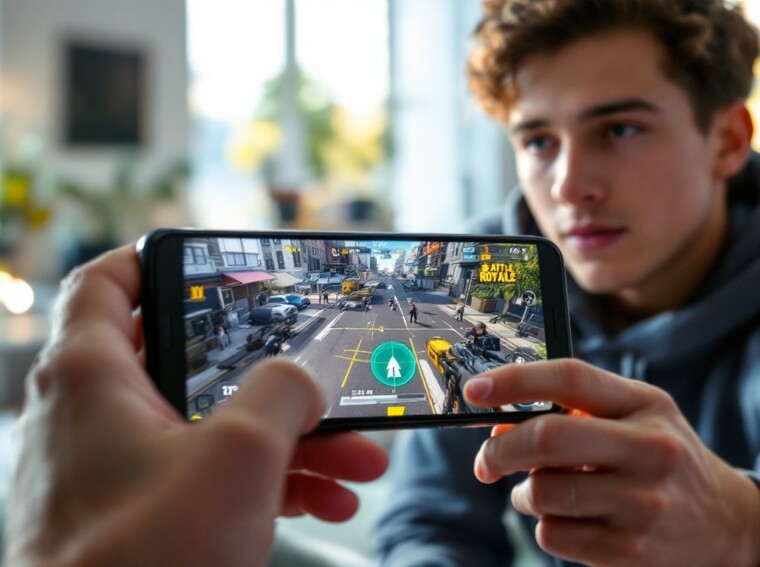
Call of Duty Warzone Mobile brings the intensity of large-scale battle royale combat straight to your phone. Whether you’re jumping in for the first time or transitioning from the main COD Warzone experience on console or PC, this mobile adaptation delivers the same adrenaline-pumping gameplay you’re expecting. The game combines fast-paced gunplay with tactical decision-making, making every drop count. If you’ve played cod warzone on other platforms, you’ll recognize the core loop, but mobile brings its own nuances. This guide walks you through everything newcomers need to know to go from fumbling your first drop to consistently placing in the final circle.
Key Takeaways
- Call of Duty Warzone Mobile is a free-to-play battle royale built specifically for mobile devices with touchscreen controls and cross-progression support for cosmetics and seasonal progress.
- Master the three survival pillars—positioning, looting efficiency, and gunplay—to eliminate half the learning curve and climb toward consistent top-10 finishes.
- Link your Activision account at startup to sync cosmetics and battle pass progress across platforms, whether you’re new to Warzone Mobile or transitioning from console.
- Land at the edge of high-loot zones, prioritize armor plates and weapons over cosmetics, and always track the next safe zone to execute efficient rotations.
- Build loadouts around meta assault rifles like the XM4 and pair them with close-quarters backup weapons, then leverage killstreaks and perks like Ghost and Tracker to swing late-game encounters in your squad’s favor.
What Is Call Of Duty Warzone Mobile And Why Should You Play It
Call of Duty Warzone Mobile is a free-to-play battle royale title built from the ground up for mobile devices. Unlike scaled-down ports, this version was designed specifically for touchscreen controls and mobile hardware. You drop into a sprawling map alongside up to 149 other players, scavenge for weapons and gear, and survive the ever-shrinking safe zone until one squad remains standing.
The appeal is straightforward: it’s COD Warzone without the $60 entry price or the need for a gaming PC or console. The game launched on iOS and Android, making it accessible to millions of players globally. Call of duty war zone ps5 players might recognize some weapons and mechanics, but the mobile version balances gameplay differently for touchscreen precision and shorter play sessions.
What makes it worth your time? The blend of accessibility and depth. Casual players can squad up and have fun in 20-minute matches, while competitive gamers find enough tactical complexity to sink serious hours into. Cross-progression means your cosmetics and seasonal progress can sync across devices if you’re also playing the console version.
Getting Started: Account Setup And Game Modes Explained
When you first boot up Call of Duty Warzone Mobile, you’ll need to link your Activision account. This step is crucial, it lets you preserve your cosmetics and progression if you’ve invested time in other Call of Duty titles.
Creating Your Profile And Cross-Platform Progression
Set up your Activision account through the game’s login screen. If you already play on console or PC, sign in with your existing credentials. Your operator skins, weapon blueprints, and battle pass progress will carry over (where applicable). For new players, create a fresh account, you’ll start with basic cosmetics, but you’ll unlock new operators and bundles as you rank up.
Warzone Mobile offers two primary modes: the standard Battle Royale and Plunder (a looting-focused mode where cash matters more than eliminations). Battle Royale is where most players spend their time, but Plunder is excellent for practicing looting and getting comfortable with the map without elimination anxiety. There’s also a Resurgence mode with shorter match lengths and faster respawns, perfect for learning gunplay fundamentals. Familiarize yourself with each mode in your first few sessions to find your preferred playstyle.
Essential Tips For New Players: Survival And Combat Basics
Survival in Warzone Mobile hinges on three pillars: positioning, looting efficiency, and gunplay. Master these early, and you’ll eliminate half the learning curve.
Positioning means understanding the map layout and anticipating where enemies congregate. High-loot zones like Downtown and Airport pull aggressive players, while quieter areas let you gear up unopposed. Check the first safe zone circle before dropping, land just outside high-traffic areas if you want early kills without getting instantly eliminated.
Gunplay on mobile feels different from console. Aim assist is your friend: don’t be shy about adjusting sensitivity settings to match your thumb’s responsiveness. Most new players benefit from higher sensitivity paired with aim assist. Practice your pre-aim (aiming where enemies will appear before you see them) and learn to strafe while shooting. Headshots matter even more on mobile because the TTK (time-to-kill) is punishing if you’re landing body shots.
Landing Strategy And Looting Like A Pro
Your landing choice determines your early game outcome. Drop at the edge of high-loot zones if you want gear without immediate combat. Ping locations using the map, teammates will see your choice and follow or suggest alternatives. Prioritize armor plates and weapons over cosmetics. A fully plated opponent with decent guns beats an enemy with premium skins and gray-tier gear every time.
Loot methodically: weapons first, then armor, then utilities (lethal/tactical grenades). Don’t spend 30 seconds looting a single building: grab what you need and rotate. Use call of duty mobile name generator tools to craft a memorable username while you’re learning the ropes, it helps with squad recognition in voice chat.
The gas mechanic is your timer. Closing circle waves force encounters, which is where victories are built. Always know where the next safe zone is and plan your rotation early. Getting caught rotating without armor is a fast ticket to the lobby screen.
Building Your Loadout: Weapons, Perks, And Killstreaks
Loadouts define your playstyle in Warzone Mobile. Unlike early drops (where you use whatever the map offers), custom loadouts appear in buy stations and let you field your preferred setup during mid-to-late game. This is where theory meets practice.
Assault Rifles dominate the meta. The XM4 and GPMG-7 are current favorites for their stability and damage balance. Pair your primary with a reliable Tactical Rifle or SMG for close-quarters backup. The Jackal PDW shreds at point-blank range.
Perks significantly impact survival. Double Time lets you run longer, essential for rotations. Tracker reveals enemy footprints, invaluable for hunting isolated opponents. Ghost hides you from UAVs, one of the most powerful killstreaks in the game. Squad coordination around perk choices multiplies their effectiveness.
Killstreaks like UAV, Counter-UAV, and Precision Airstrike swing rounds dramatically. Save cash for these during late circles. A well-timed airstrike clears an entrenched squad faster than gunplay alone.
Resources like The Loadout publish detailed weapon stats and meta breakdowns monthly, check there when patches drop and the balance shifts. Warzone Mobile receives regular updates that buff and nerf weapons, so your go-to setup from last season might need tweaking.
Conclusion
Call of Duty Warzone Mobile rewards players who master fundamentals: smart drops, efficient looting, solid gunplay, and map awareness. Your first 10 matches will feel chaotic, that’s normal. By match 20, rotations make sense. By match 50, you’ll chase top-10 finishes consistently. Squad with friends, watch recent gameplay from Mobalytics or Pocket Tactics for fresh strategies, and don’t sweat early losses. The skill floor is gentle: the skill ceiling is high. That’s what makes COD Warzone Mobile worth your time in 2026.