
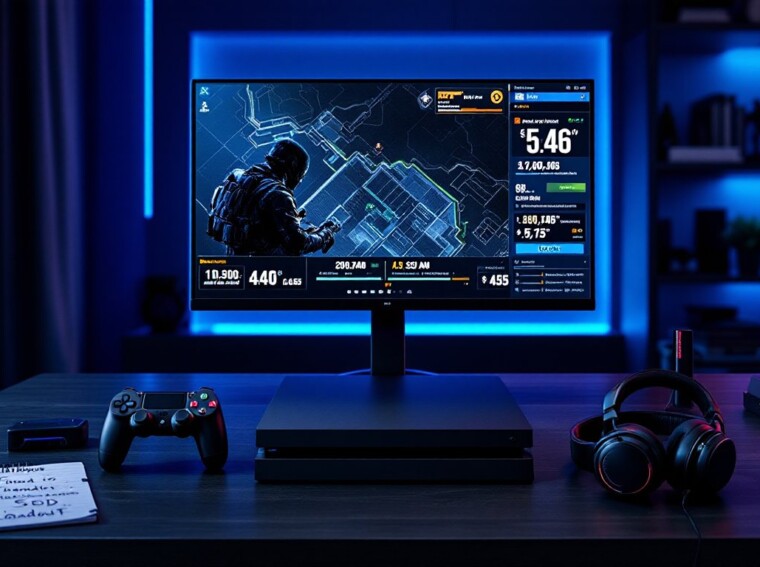
Call of Duty Warzone on PS4 isn’t dead, it’s just gotten weirder. With the next-gen cycle in full swing and 2026’s seasonal updates pushing hardware harder than ever, plenty of players are still grinding Verdansk descendants on their trusty last-gen consoles. The good news? It still runs. The catch? You’ll need to know exactly which settings, loadouts, and storage tricks make the experience playable. This guide breaks down everything PS4 owners need to stay competitive in Warzone right now, without pretending the hardware gap doesn’t exist.
Key Takeaways
- Call of Duty Warzone on PS4 remains playable in 2026 with continued support, though you’re limited to 1080p and 60 FPS compared to next-gen consoles running up to 120 FPS.
- Install Warzone as a modular download through the PlayStation Store while deselecting Multiplayer and Campaign packs to manage the 92 GB storage footprint and massive seasonal updates.
- Optimize your PS4 settings by disabling HDR and motion blur, setting Frame Rate Priority to On, and adjusting Field of View to 100–105 for better competitive performance.
- Win more matches on PS4 by pre-aiming corners, using audio cues over raw aim, rotating zones early, and maintaining squad cohesion to compensate for the frame rate disadvantage.
- The XM4 assault rifle and Jackal PDW SMG are the meta loadout picks for console players as of Season 2 Reloaded 2026, favoring aim assist’s strengths on controller.
Is Warzone Still Worth Playing on PS4 in 2026?
Short answer: yes, with caveats. Activision has continued supporting the base PS4 and PS4 Pro through the 2026 season rollouts, meaning cross-play with PS5, Xbox Series X
|
S, and PC lobbies still works.
That said, PS4 players are running at 1080p with a locked 60 FPS ceiling, while PS5 users push 120 FPS in performance mode. The TTK gap isn’t huge, but in close-quarter ADS duels, frame rate matters. If a player owns nothing else, Warzone on PS4 remains a solid free-to-play option, especially for casual squads.
The competitive scene is a different story. Ranked Resurgence lobbies are dominated by high-refresh setups, and most pros have moved to call of duty war zone pc builds for the input advantage. For the average gamer just looking to drop into Al Mazrah or the rotating map pool with friends, the PS4 version still delivers.
How to Download and Install Warzone on PS4
Getting Warzone running on PS4 is straightforward, but the install process has changed since launch. Activision split the game into modular packs back in 2022, and that system is still in place.
- Open the PlayStation Store and search “Call of Duty: Warzone.”
- Select the free base install (not the Modern Warfare III or BO6 bundles unless owned).
- Choose only the Warzone content pack during installation, deselecting Multiplayer or Campaign packs to save space.
- Let the initial download complete, then launch once to trigger the compatibility patch.
First-time installs also require a free Activision account linked through the in-game prompt. Players running into login errors should check the error code Hillcat fix guide, since that one has been a recurring headache on cod warzone installs this year.
Storage Requirements and Update Sizes
Here’s where PS4 owners feel the pain. As of the March 2026 update, the Warzone-only install sits at roughly 92 GB on PS4. Seasonal updates typically run 18–25 GB, and mid-season reloaded patches add another 8–12 GB.
A standard 500 GB PS4 will fill up fast. Most players running it long-term either upgrade to an external SSD or uninstall Multiplayer packs between seasons. The full breakdown of what each update changes lives in the latest Warzone patch notes, which is worth bookmarking before every Tuesday download.
Best PS4 Settings for Smooth Warzone Performance
Default settings on PS4 leave performance on the table. A few tweaks can shave input lag and stabilize frame pacing during late-game circles.
- Display Mode: 1080p, not 4K upscaled. PS4 Pro users should disable Supersampling in the system menu.
- Frame Rate Priority: On (when available in the graphics tab).
- HDR: Off, unless the TV is properly calibrated. Stock HDR crushes blacks and hides enemies in shadowed buildings.
- Motion Blur (World + Weapon): Off. Always.
- Film Grain: 0.00.
- Field of View: 100–105. Higher FOV slightly hits frame rate but improves peripheral awareness.
- Controller Deadzone (Left Stick Min): 0.05.
- ADS Sensitivity Multiplier: 1.00 for beginners, 0.85 for snipers.
Closing background apps and rebuilding the PS4 database (Safe Mode option 5) every few weeks also helps with stutter. Multi-platform coverage of similar console tuning shows up regularly on DualShockers gaming guides, which is handy when comparing PS4 vs PS5 tweaks side by side.
Essential Tips to Win More Matches on PS4
Winning on last-gen hardware means playing smarter, not faster. PC players will always out-flick a controller in raw aim duels, so the goal is to dictate engagements.
- Pre-aim corners. With a 60 FPS cap, reaction-based gunfights favor the player who saw it coming.
- Use audio. A decent headset matters more than any setting tweak. Footstep cues win more fights than aim assist.
- Rotate early. Late-zone rotations punish slower load-in times that PS4 occasionally suffers from.
- Stick with the squad. Solo plays into the hands of high-FPS opponents.
For squad coordination, joining a community helps. The same logic behind zombies Discord communities applies to Warzone, finding consistent teammates triples win rates. And if a player needs a fresh tag for their new squad, the cool Call of Duty names list is genuinely useful.
Top Loadouts and Weapons for Console Players
Aim assist on PS4 is strong, which favors specific weapon archetypes. As of Season 2 Reloaded 2026:
- Primary: XM4 assault rifle. Low recoil, ideal for 40m+ engagements where controller flicks struggle.
- Secondary: Jackal PDW SMG. Best-in-class TTK under 15 meters.
- Sniper alternative: LR 7.62 for one-shot headshots through ranked plates.
- Perks: Double Time, Tracker, Tempered, Quick Fix.
- Lethal: Semtex. Tactical: Stim.
Meta shifts every season, so these picks may get nerfed. The full Call of Duty archive tracks loadout changes patch by patch. For players curious about the real-world inspirations behind these guns, the breakdown of Call of Duty weapons in real life is a fun rabbit hole. Trophy hunters and PlayStation-focused readers can also find solid console-specific coverage over at Push Square’s PlayStation hub.
Conclusion
Call of Duty Warzone on PS4 in 2026 is a compromise, but a workable one. The hardware ceiling is real, yet smart settings, sharp loadouts, and good squad communication close most of the gap. Players who treat the PS4 version as a temporary home before upgrading will get plenty of dubs out of it. Just keep an eye on storage, patch notes, and meta shifts, and the Gulag will keep paying off.