
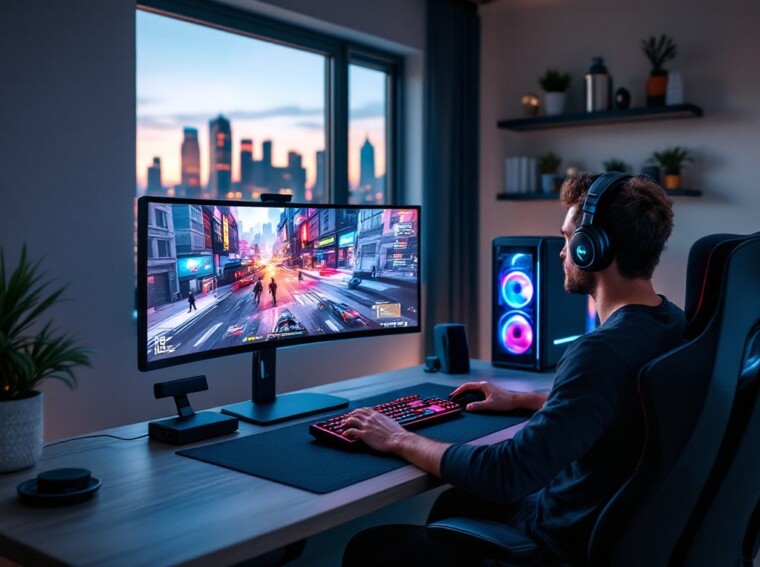
Warzone in 2026 isn’t the same beast it was at launch, and on PC, it’s never looked or played better. With cross-play firmly entrenched, ray-traced lighting tweaks, and a meta that shifts every season, PC players have a real edge if they know how to use it. This guide breaks down everything from system specs and install steps to settings, loadouts, and fixes for the errors that still haunt the launcher. Whether someone’s coming from a Call of Duty War Zone PS4 setup or building their first rig, this is the rundown.
Key Takeaways
- Call of Duty Warzone PC in 2026 requires a competitive-grade system—at minimum a Core i7-13700K, RTX 4070 Ti, and 32GB DDR5 RAM—to achieve 144+ FPS at 1440p for ranked play.
- VRAM is the critical bottleneck for Warzone PC performance; 8GB cards struggle with high textures, making 10GB+ VRAM essential for smooth gameplay in expanded Urzikstan.
- Optimize your PC settings by enabling NVIDIA Reflex, disabling V-Sync, using Fullscreen Exclusive mode, and setting shadows to Low to maximize frame rate and reduce input lag for competitive edge.
- The Season 3 meta heavily favors the SVA 545 AR for mid-range engagements and the Superi 46 SMG for aggressive close-quarters combat, with mouse users gaining an advantage through superior recoil control.
- Configure your mouse at 800 DPI with 1000Hz+ polling rate and rebind Slide to a mouse side button to match pro standards and improve movement responsiveness across Warzone PC.
- Fix common Warzone PC crashes and anti-cheat errors by capping FPS at your monitor’s refresh rate, using wired connection for stable ping, and running Scan & Repair for Ricochet driver issues.
System Requirements and Optimal PC Specs for Warzone
Warzone’s 2026 build is heavier than ever, thanks to expanded Urzikstan textures and the optional HD asset pack that pushes installs past 140GB. Running it well means hitting more than the bare minimum, especially if a player wants a competitive 144Hz+ experience.
Minimum vs. Recommended Hardware
- Minimum (1080p, 60 FPS Low): Intel Core i5-6600 / Ryzen 5 1600, GTX 1060 6GB or RX 580, 8GB RAM, SSD strongly advised.
- Recommended (1440p, 90+ FPS High): Intel Core i7-10700K / Ryzen 7 5800X, RTX 3070 or RX 6800, 16GB RAM, NVMe SSD.
- Competitive (1440p, 144+ FPS): Core i7-13700K / Ryzen 7 7800X3D, RTX 4070 Ti or better, 32GB DDR5, NVMe Gen4.
Detailed Warzone PC performance analysis shows VRAM is the real bottleneck, 8GB cards struggle at high textures in 2026.
How to Download, Install, and Launch Warzone on PC
Warzone is free-to-play through Battle.net and Steam. Steam tends to handle background updates more gracefully, but Battle.net still gets patches a few minutes earlier on most release days.
- Create or log into a Battle.net or Steam account.
- Search “Call of Duty: Warzone,” hit install, and pick only the Warzone content pack to save ~80GB versus the full MW3/BO6 bundle.
- Allow shader compilation to finish on first launch, skipping it causes stutters in the first match.
- Link an Activision ID for cross-progression with Xbox, PS5, and the Warzone Mobile download companion app.
Players migrating from Call of Duty Warzone PS 4 saves can carry over unlocks, but legacy PS4 loadouts may need rebuilding due to the 2024 weapon overhaul.
Best In-Game Settings for Performance and Visual Clarity
Frames win fights. The goal: high FPS, low input lag, and enough clarity to spot enemies in Urzikstan’s foliage.
- Display Mode: Fullscreen Exclusive
- V-Sync: Off
- NVIDIA Reflex: On + Boost (huge for TTK consistency)
- Render Resolution: 100 (never below 90)
- Texture Resolution: High if VRAM ≥ 8GB, otherwise Normal
- Shadows: Low, competitive players see enemies clearer
- Particle Quality: Low
- Anti-Aliasing: SMAA T2X or DLSS Quality on RTX cards
- Field of View: 105–120 (independent)
For RTX 40-series owners, DLSS 3 Frame Generation can push 1440p past 200 FPS, though it adds a hair of latency. Disable Film Grain and World Motion Blur, they obscure distant players. Outlets like PC Gamer’s settings coverage regularly retest these after major patches.
Top Weapons, Loadouts, and Meta Strategies for PC Players
The Season 3 (2026) meta leans into mid-range ARs and aggressive SMGs. Recoil control favors mouse users, so PC players can squeeze more from high-kick weapons than controller lobbies typically do.
Current S-Tier picks:
- SVA 545 AR, laser-flat recoil, ideal at 30–60m.
- Superi 46 SMG, fastest TTK inside 15m.
- Kar98k Marksman, still the king of one-shot headshots.
- HRM-9, solid secondary for Resurgence rotations.
Meta shifts fast, and the latest Warzone patch notes are required reading before tournament play. Smart rotations matter as much as loadouts, winning a 1v1 in the Gulag often dictates whether a squad rebuilds or folds. For broader build theory, the Warzone tips and tricks breakdown covers movement and positioning fundamentals.
Mastering Keyboard, Mouse, and Controller Inputs
PC’s biggest advantage is input flexibility. Mouse users get pinpoint long-range aim: controller users get rotational aim assist that doesn’t care what platform they’re on.
- Mouse DPI: 800 with in-game sens 6–8 is the pro standard.
- Polling rate: 1000Hz minimum, 4000Hz+ on supported mice.
- Keybinds: Rebind Slide/Dive to C or mouse side button, default is clunky.
- Controller: Dynamic response curve, deadzone 0.05 left / 0.00 right with a Hall-effect stick.
Cross-input lobbies remain controversial. PC mouse players often counter aim assist with superior tracking and faster ADS flicks. Anyone curious about how this stacks across the franchise should glance at the Call of Duty release order to see how input balance has evolved.
Fixing Common PC Issues: Crashes, Lag, and Anti-Cheat Errors
Warzone’s PC port has earned a mixed reception on Metacritic precisely because of stability quirks. Most issues have known fixes.
- Dev Error / DirectX crashes: Cap FPS at refresh rate, disable on-demand texture streaming if VRAM is below 10GB.
- High ping / packet burst: Force a wired connection, disable Windows 11’s Gaming Network Optimization, and set Packet Loss to On in the HUD to diagnose.
- Ricochet anti-cheat boot loops: Reinstall the Ricochet driver from the launcher’s Scan & Repair, then reboot.
- Error code Hillcat: A persistent account-side hiccup, the full error code Hillcat fix walks through the cache wipe steps.
- Voice chat dead? Squad up via a Call of Duty Discord community as a backup while Activision’s VOIP servers misbehave.
Final Thoughts
PC remains the most flexible, and demanding, way to play Warzone in 2026. Dial in the settings, keep an eye on patch notes, and treat the meta as a moving target rather than a checklist. Whether jumping in from console or building a rig specifically for ranked, the players who win consistently are the ones who tune their setup as carefully as their aim.