
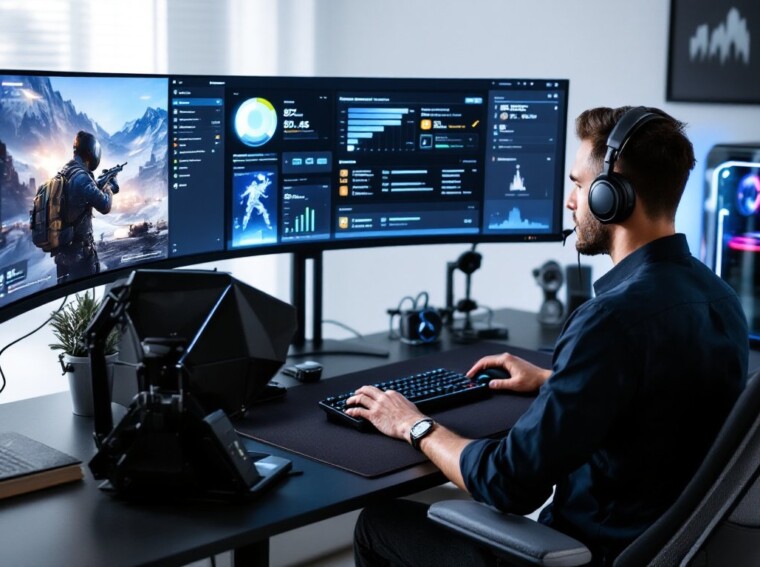
Warzone in 2026 isn’t the same beast it was at launch, and on PC, the gap between a smooth, high-FPS experience and a stuttery mess often comes down to a handful of tweaks. Whether players are jumping in from a console background, building a new rig, or trying to squeeze more frames out of an aging GPU, this guide breaks down exactly what matters: specs, settings, loadouts, and the small competitive edges that separate Verdansk veterans from the lobby fodder. No fluff, just the stuff that actually moves the needle.
Key Takeaways
- Call of Duty Warzone PC performance hinges on hardware configuration and in-game settings, with competitive players requiring at minimum an RTX 3060 or equivalent GPU paired with an i7-class CPU to maintain smooth framerates.
- Disabling shadows, volumetrics, and motion blur can recover 25–30% of frame rates on mid-range GPUs, making visual tweaks just as important as raw hardware for achieving high refresh rates.
- The Season 3 meta favors fast-TTK weapons like the XM4 AR and Superi 46 SMG, but successful loadout choices depend on regular patch monitoring and playstyle adaptation.
- PC-specific competitive advantages—high DPI sensitivity settings, wired audio, disabled overlays, and hardware monitoring—can only be realized through proper configuration and eliminate 5–15 FPS of unnecessary performance loss.
- Shader compilation stutter, crashes, and packet burst are the most common Warzone PC issues, and can be resolved through file verification, GPU driver updates, and switching to wired ethernet connections.
System Requirements and Optimal PC Specs for Warzone
Warzone is more demanding in 2026 than it was during the original Verdansk era, but it still scales well across hardware. Activision’s official targets land roughly here:
- Minimum: Intel Core i5-6600 / Ryzen 5 1400, 8GB RAM, GTX 1650 / RX 5500 XT, 125GB SSD
- Recommended: Intel Core i7-8700K / Ryzen 7 3700X, 16GB RAM, RTX 3060 / RX 6700 XT
- Competitive (high refresh): Intel Core i7-13700K / Ryzen 7 7700X, 32GB DDR5, RTX 4070 or better
- Ultra RTX: RTX 4080/4090 with DLSS 3.5 enabled for 4K ray tracing
For a deeper breakdown of the official tiers, GameSpot’s breakdown of Warzone’s system specs is a solid reference. An NVMe SSD isn’t optional anymore, texture streaming on HDDs causes noticeable pop-in and longer pre-match loads.
How to Download and Install Warzone on PC
Getting cod warzone running on a fresh rig is straightforward, but the install footprint is hefty. Players have two main launchers:
- Battle.net, the original home for call of duty war zone pc installs. Create or log in to a Battle.net account, search Warzone, and hit install.
- Steam, added in 2023, offering the same client with Steam overlay and friends list integration.
Expect a 110–130GB download depending on installed modes (Resurgence, BR, DMZ-style modes). Players migrating from call of duty warzone ps4 or current-gen consoles will need a fresh install, there’s no cross-progression file transfer for game data, though Activision accounts carry over unlocks, camos, and stats automatically once linked.
Best In-Game Settings for Performance and Visual Clarity
The default preset is rarely optimal. A balanced config for 1440p on an RTX 4070-class GPU:
- Render Resolution: 100 (never below, it tanks clarity)
- Upscaling: DLSS Quality or FSR 3 Quality
- Texture Resolution: High (VRAM permitting)
- Shadow Map Resolution: Low, competitive players gain visibility
- Particle Quality: Low
- Volumetric Quality: Low
- Field of View: 105–120
- Motion Blur: Off, always
- Anti-Aliasing: SMAA T2X
DSOGaming’s Warzone PC performance analysis shows shadows and volumetrics are the biggest frame killers, often costing 25–30% FPS on mid-range cards. Cap framerate around 10 FPS below the monitor’s refresh rate to reduce input latency spikes.
Top Weapon Loadouts and Meta Picks for PC Players
The Season 3 (2026) meta favors fast-TTK ARs and a few standout SMGs. Always cross-check against the latest Warzone patch notes since balance shifts can flip the meta overnight.
Current S-tier picks:
- XM4 (AR): Laser-beam recoil with a heavy barrel and Agency suppressor. Strong at 30–60m.
- Superi 46 (SMG): Best-in-class close-range TTK after the March buff.
- Kar98k Marksman: Still the one-shot headshot king for aggressive snipers.
- Tempus Razorback (AR): Backup for players who prefer slower, controllable kicks.
If authenticity is part of the appeal, the real weapons behind the in-game arsenal explains why these guns feel so distinct from one another. Pair an AR + SMG for standard BR: swap to AR + sniper for Resurgence’s longer sightlines.
Essential PC-Specific Tips to Gain a Competitive Edge
PC players have advantages console users don’t, but only if they’re configured properly.
- Mouse DPI + sensitivity: 800 DPI with 4–6 in-game sens is the competitive sweet spot. Surface matters too: a quality mouse pad for competitive play eliminates micro-stutters in tracking.
- Audio: Use the “Headphones” mix and crank Master Volume on a wired headset. Footsteps are the difference between a third-party kill and getting third-partied.
- Hardware monitor: Enable the in-game telemetry overlay to spot CPU bottlenecks early.
- Disable Game Bar and overlays: Discord, GeForce Experience, and Xbox Game Bar can shave 5–15 FPS combined.
- Stay informed: Sites like PC Gamer regularly publish driver-update timing tips that align with major Warzone patches.
Squad up smartly too, even a sharp name for the squad tag won’t save bad comms, but a coordinated four-stack will.
Common Issues, Fixes, and Anti-Cheat Considerations
Warzone’s Ricochet anti-cheat runs at the kernel level, which means a few quirks PC players should know about.
Frequent issues and fixes:
- Crash on launch: Verify game files via Battle.net/Steam, then update GPU drivers.
- Shader compilation stutter: Let the pre-game shader install finish fully, don’t skip it.
- Dev Error / Hillcat errors: A guide to error code Hillcat fixes covers the most common server-side and config triggers.
- Packet burst: Switch to wired ethernet: Wi-Fi spikes are the usual culprit.
Ricochet bans are hardware-linked, so cheating on a secondary account can flag the primary rig. For the latest on what’s coming next, including anti-cheat upgrades and map rotations, recent Call of Duty leaks and roadmap details are worth tracking.
Conclusion
Warzone on PC rewards preparation. Dialing in specs, settings, and loadouts isn’t optional at the competitive end, it’s the baseline. Patches will keep shifting the meta, hardware will keep aging, and new operators will keep dropping, but the fundamentals in this guide hold steady. Drop in, adjust as the game evolves, and let the wins follow.